Performance
Last updated
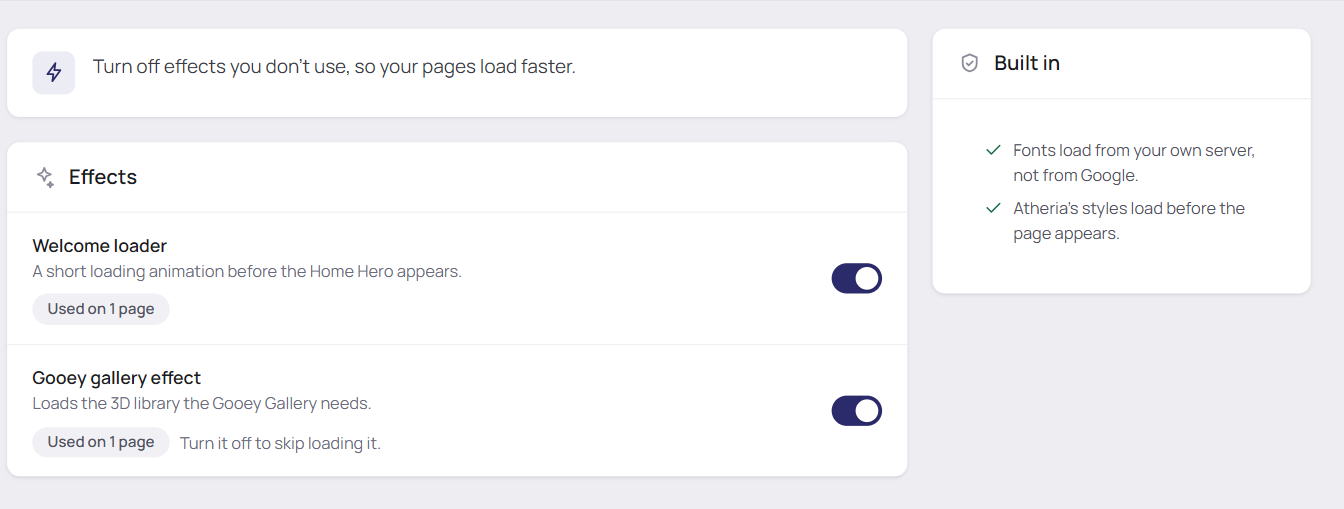
Switch the Home Hero’s welcome loader and the Gooey Gallery’s 3D effect on or off for the whole site, on Theme settings › Performance.
What you need#
- An active licence on the site. See Activating your licence.
Steps#
- Open Atheria Stays › Theme settings › Performance. Each effect says on how many pages and templates it is used.
- Turn Welcome loader, the Home Hero’s loader, on or off.
- Turn Gooey gallery effect, which loads the 3D library the Gooey Gallery needs, on or off.
- Choose Save changes.
What you should see#
With the gallery effect off, pages with the Gooey Gallery load two fewer scripts, and the gallery still shows. A warning shows while an effect that is used on your site is off.
Two things are built in and need no setting: fonts load from your own server, with Adobe Fonts named as the exception while a project is set, and Atheria’s styles load before the page appears.
If something goes wrong#
The screen warns about an effect#
An effect your pages use is off, so those pages show without it. Turn it back on, or leave it off if you meant to.
Still stuck?
We help by email while your licence includes support.